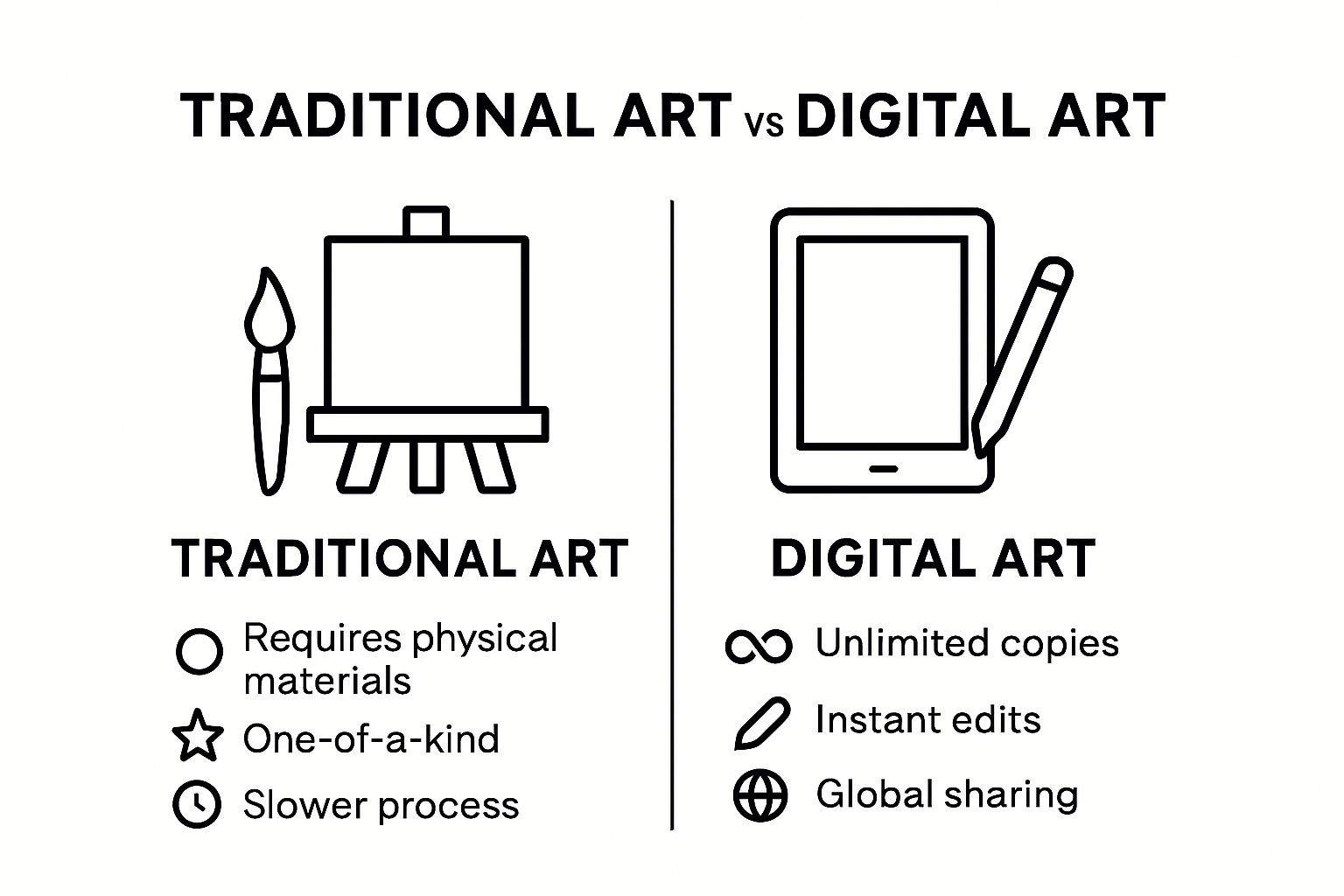
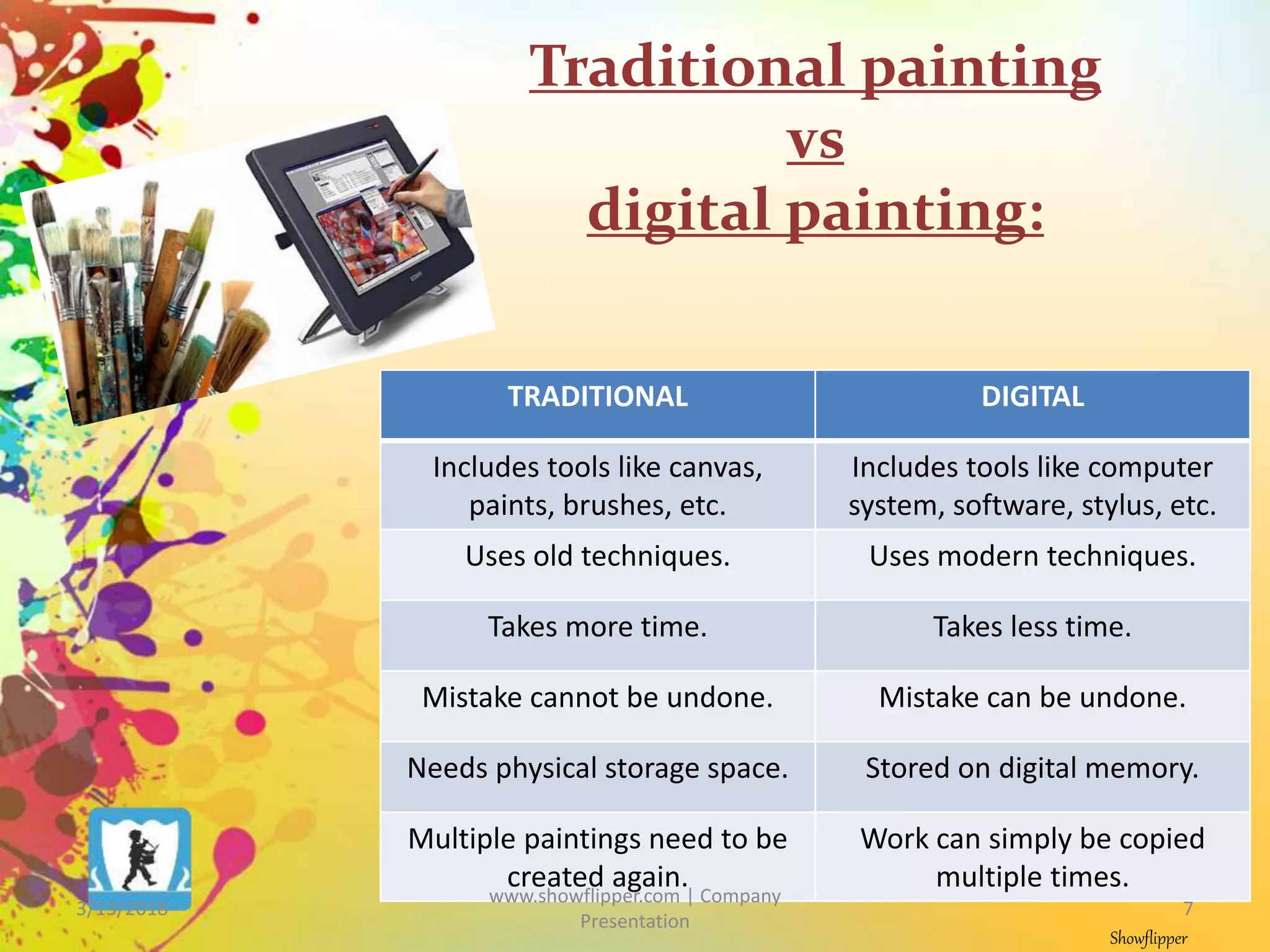
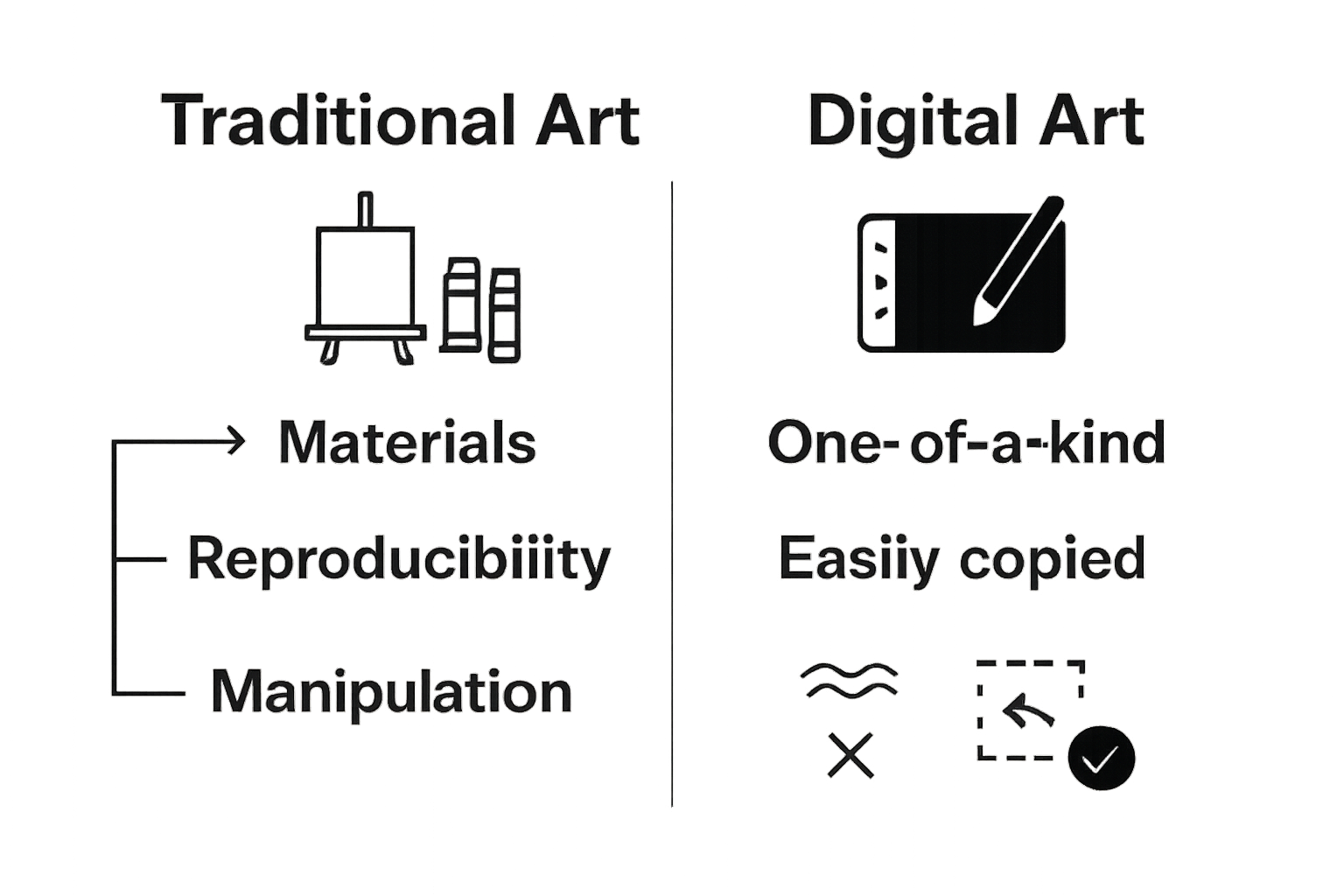
Digital art uses electronic devices and software to create images, while traditional art uses physical materials such as pencils, paint, ink, and canvas. Digital art offers flexible editing, easy storage, and simple sharing. Traditional art offers direct contact with materials, physical texture, and a tangible finished piece. Neither is better for every artist. The right choice depends on your goals, budget, preferred working style, and the kind of artwork you want to make.
For artists across the United States, choosing between digital and traditional art can shape how they learn, practice, and share their work. A student in a California art class may enjoy drawing with charcoal, while an independent illustrator in New York may prefer a digital tablet. Artists in small home studios, community art centers, and professional design teams can benefit from either method. The best starting point is to understand what each medium offers.
Both methods depend on the same core ideas. Artists need to understand shape, light, color, balance, perspective, and composition. The tools change, but the need to observe and make thoughtful creative choices remains. Some artists work entirely with physical materials, others use digital tools, and many combine both to create their own style.
Source: art-online.co.za
What Is the Difference Between Digital and Traditional Art?
The main difference is the way artists create and store their work. Traditional art uses physical materials that leave marks on a real surface. Digital art uses electronic tools to create and save images as computer files. Both can produce detailed, expressive, and original artwork.
Traditional art includes drawing, painting, printmaking, sculpture, and other hands-on methods. Artists may use graphite, charcoal, watercolor, acrylic, oil paint, ink, clay, or wood. The finished work often exists as a physical object that can be held, displayed, or stored.
Digital art uses computers, tablets, styluses, and creative software. Artists can make digital paintings, illustrations, vector graphics, photo compositions, pixel art, and 3D models. The main working result is usually a digital file, although artists can also print that file on paper, canvas, and other surfaces.
The two methods are not separate worlds. A traditional drawing can be scanned and edited on a computer. A digital painting can be printed and finished with physical paint or other materials. This overlap gives artists more ways to plan and complete their work.
Source: deutschland-stellt-um.de
Traditional art
Uses physical materials such as paper, canvas, pencils, brushes, ink, paint, clay, and carving tools. The artist works directly with the material.
Digital art
Uses electronic devices, drawing software, digital brushes, and styluses. The artist creates and edits work through a digital interface.
Hybrid art
Combines physical and digital methods. An artist might draw on paper, scan the image, add digital color, and prepare the final file for printing.
Common Types of Traditional Art
Traditional art covers many forms of creative work. Drawing is often the simplest place to begin because it needs only a few basic supplies. Painting and printmaking offer other ways to explore color, surface, and texture.
Each material behaves in its own way. Watercolor spreads with water, oil paint stays workable for longer, and charcoal creates soft marks that can be blended. Learning these qualities helps artists control the result.
Drawing
Uses graphite, colored pencils, charcoal, pastels, or ink on paper and other surfaces.
Painting
Uses watercolor, acrylic, oil, or gouache to create images on paper, canvas, wood, and other supports.
Printmaking
Uses methods such as relief printing, screen printing, and etching to produce images from prepared surfaces or plates.
Sculpture
Uses materials such as clay, stone, metal, and wood to create three-dimensional work.
Common Types of Digital Art
Digital art includes more than painting on a tablet. Some artists build images from pixels, while others use shapes and paths that can be resized without losing their basic edge quality. Digital tools also support animation, photo editing, and three-dimensional design.
Digital painting
Uses software brushes to imitate or develop painting styles such as watercolor, oil, and acrylic.
Digital illustration
Creates artwork for books, websites, games, advertising, and other visual projects.
Vector art
Uses editable paths and shapes to create graphics that can scale to different sizes.
3D art
Builds digital objects, characters, environments, and scenes in three dimensions.
Digital Vs Traditional Art: Key Differences
The biggest differences appear in the tools, working process, editing options, and final output. Digital artists can change many parts of an image without starting again. Traditional artists work with physical materials that respond to pressure, water, light, and other conditions.
Neither process removes the need for planning. A digital artist must manage layers, file settings, and software tools. A traditional artist must understand the surface, the behavior of the medium, and the time needed for each step.
A useful way to compare the two is to look at what happens during a normal art session. Consider how you start a project, correct a mistake, test a new color, save your progress, and prepare the finished work. These daily details often matter more than the general idea of which medium is easier.
Source: muzartschools.com
Tools and materials
Traditional artists use physical supplies. Digital artists use devices, styluses, software, and digital storage.
Editing
Digital work supports undo commands, layers, and many non-destructive edits. Traditional work may require careful correction, repainting, or accepting the original mark.
Texture
Traditional materials create physical surfaces and natural variations. Digital brushes can imitate many textures, but the result remains a screen-based image until it is printed.
Reproduction
Digital files can be copied and shared easily. Traditional artwork often needs scanning, photography, or a printing process to create a reproduction.
Workspace
Digital work may need only a suitable device and a comfortable desk. Traditional work can require storage, cleaning space, drying areas, and room for supplies.
Dependence on technology
Digital art needs working hardware, software, electricity, and suitable file access. Traditional drawing can continue with simple tools and does not depend on a computer.
How Editing Changes the Creative Process
Digital editing gives artists room to test ideas without changing the original image. They can move a subject, change a color, adjust brightness, or remove an unwanted mark. Layers also let them work on separate parts of a composition.
Traditional editing requires a different approach. An artist may cover a section with paint, erase a pencil mark, or adjust the next layer to balance an earlier choice. Some marks cannot be removed without changing the surface.
This difference can affect how artists make decisions. Digital tools support quick experiments, while physical materials can encourage slower and more deliberate choices. Both approaches can lead to strong creative results.
Digital advantage
Artists can save versions, compare color choices, and change selected parts of a composition.
Traditional advantage
Artists can respond directly to physical marks and discover unexpected effects while working.
Why Physical and Digital Texture Feel Different
A traditional painting has a real surface. You may see raised paint, rough paper, pencil grooves, or layers of pigment. These details can affect how light reaches the work and how a viewer experiences it.
Digital brushes can imitate dry brush marks, watercolor edges, paper grain, and oil paint strokes. These effects can look convincing on a screen. However, a digital texture does not have the same physical depth as real paint or paper.
A printed digital image adds another layer to the comparison. Paper type, canvas texture, printing ink, and surface finish all affect the final result. The printed work can become a physical object, even though the original image was created digitally.
Choose traditional materials
When the real feel, surface, and physical presence of the medium are central to the project.
Choose digital brushes
When you want flexible visual effects without managing several physical materials.
Cost Comparison: Which Art Medium Is More Affordable?
The cost depends on the type of art you want to make and the tools you already own. Traditional drawing can be inexpensive to start because a pencil and paper may be enough. Professional painting, sculpture, and printmaking can require a much larger supply budget.
Digital art often has a higher starting cost. You may need a computer or tablet, a stylus, and suitable software. However, you can reuse many digital tools across projects without buying fresh paper, paint, or canvas for each new image.
The long-term cost is not always lower for digital artists. Devices need repairs or replacement, software may require paid plans, and storage can add expense. Traditional artists also face recurring supply costs, but basic drawing materials can last for many projects.
A fair comparison should include both the first purchase and the cost of keeping the setup useful. Think about how often you create, what materials you use, and whether you need professional tools. A low-cost starting setup is often more useful than an expensive collection that does not match your goals.
Source: ugee.com
Traditional startup costs
Basic pencils, paper, erasers, and sketchbooks can provide a low-cost entry point. Paint, canvas, quality brushes, and specialist tools increase the budget.
Digital startup costs
A drawing tablet, stylus, computer or compatible device, and software may require a larger initial investment.
Traditional ongoing costs
Paper, paint, ink, canvas, replacement brushes, storage, and other consumable supplies need to be replaced over time.
Digital ongoing costs
Software plans, hardware repairs, device upgrades, backups, and additional storage can create continuing expenses.
A Simple Way to Compare Your Art Budget
Start by listing the supplies you need for one finished project. Include the cost of materials that you will use up, not only the items you can reuse. For digital work, include the device, software, and any paid features you need.
Next, estimate how many projects you expect to complete during the year. Divide the total cost of your supplies and equipment by that number. This gives you a rough cost per project and makes the two methods easier to compare.
For example, imagine a beginner who already owns a laptop but needs a drawing tablet and software. Another beginner may own basic pencils but need paper and paint for each project. The better value depends on what each person already has and how much new equipment is needed.
List reusable equipment
Include tablets, computers, easels, brushes, palettes, and other tools that can serve many projects.
List consumable supplies
Include paper, paint, canvas, ink, replacement tips, and other materials that need regular replacement.
Include maintenance
Consider software payments, device repairs, cleaning supplies, and proper storage.
Match cost to actual use
Avoid buying professional equipment before you know which tools support your style and skill level.
How Beginners Can Keep Costs Low
Beginners do not need a large studio or an advanced drawing tablet. Start with a small set of materials and learn what you enjoy using. For digital art, try compatible free software or a basic drawing app before paying for a large software package.
For traditional art, a sketchbook, graphite pencils, an eraser, and a sharpener can support many early exercises. Add paint or other materials when you have a clear reason to use them. This keeps the learning process focused and reduces waste.
Buy only essential tools
Choose materials that support your current projects instead of purchasing every available accessory.
Use free learning resources
Practice with tutorials, public art lessons, and basic drawing exercises before paying for advanced training.
Upgrade after regular use
Replace basic equipment only when you can identify a clear limitation that affects your work.
Skills Needed for Digital and Traditional Art
Both methods require strong artistic foundations. Drawing accurate shapes, understanding light, using color, and arranging objects are useful skills in almost every visual medium. A person who learns these basics with pencil and paper can apply them to digital painting.
Traditional art develops direct control over physical tools. Artists learn how much pressure to use, how materials respond to different surfaces, and how colors mix in real life. These skills grow through practice and observation.
Digital art adds technical skills. Artists need to learn software menus, brush settings, layers, selections, file sizes, and export options. A digital artist may also need to understand how a stylus responds to pressure and how different screens display color.
Neither method is automatically easier. A beginner may find a pencil simple to understand but struggle with watercolor control. Another may enjoy a digital drawing app but need time to learn its interface. The most useful choice is the one that encourages steady practice.
Source: slideshare.net
Drawing and observation
Both methods need accurate observation of shapes, proportions, edges, and details.
Color theory
Artists need to understand hue, value, saturation, contrast, and color relationships.
Composition
Both methods use balance, spacing, visual focus, and the placement of subjects.
Material control
Traditional artists learn how physical supplies behave. Digital artists learn how brushes, pressure settings, and editing tools behave.
Technical knowledge
Digital artists need to understand file settings and software. Traditional artists need to understand material care and surface preparation.
Do Traditional Art Skills Transfer to Digital Art?
Yes. Most core drawing and painting skills transfer well. An artist who understands perspective, anatomy, value, and color can use those skills in digital software. The main adjustment is learning how to control the new tools.
For example, a person who can shade a sphere with graphite already understands how light creates form. In a digital painting app, the same person can use a soft brush, a textured brush, or separate layers to create a similar effect.
Traditional practice can also help digital artists avoid overusing software features. Instead of relying on filters to fix every problem, they can use observation and drawing skills to make better choices from the start.
Perspective
Helps artists build accurate spaces and objects in both physical and digital images.
Value control
Helps artists create depth through light and shadow.
Color mixing
Provides a foundation for choosing and adjusting colors in digital software.
What Digital Skills Do Traditional Artists Need to Learn?
Traditional artists moving into digital work should begin with the basic interface. Learn how to create a canvas, select a brush, change its size, erase a mark, and save a file. Once these steps feel natural, explore layers and selections.
A drawing tablet may feel strange at first. Some devices let artists draw directly on the screen, while others use a separate drawing surface connected to a computer. Give yourself time to build comfortable hand-eye coordination.
Layer control
Learn to separate sketches, colors, shadows, and details so each part can be edited.
Brush settings
Understand brush size, opacity, texture, and pressure response.
File management
Learn to save editable projects, export finished images, and keep backup copies.
Originality, Ownership, and the Value of Artwork
Traditional and digital art can both be original creative work. Originality comes from the artist’s ideas, decisions, and execution. The tools used to make an image do not decide whether it has artistic value.
A traditional painting may exist as one physical object. Its surface, brush marks, and material details form part of that particular piece. A digital artwork usually begins as a file that can be copied without changing its visual content.
This difference affects how artwork is sold and displayed. An artist may sell an original painting, a limited print edition, or a reproduction. A digital artist may license a file, sell digital downloads, or offer prints made from the original digital work.
A physical original is not automatically more valuable than a digital creation. Value can depend on the artist, demand, quality, provenance, edition size, subject, and buyer interest. A digital file can also be part of a carefully managed limited edition, while traditional printmaking can create multiple authorized impressions.
Source: momaa.org
Physical originals
A painting or drawing can carry unique surface details and material marks that are part of the original object.
Digital originals
A digital master file can represent the artist’s original work even when identical copies can be made.
Limited editions
Artists can number and document authorized prints or other editions to make the production history clear.
Reproductions
Scans, photographs, and prints can help artists share physical work without selling the original object.
Can Digital Art Be Printed and Sold?
Yes. Digital art can be printed on paper, canvas, fabric, and other suitable surfaces. The final quality depends on the source file, print size, printer, ink, paper, and color management.
Artists who plan to sell prints should prepare their files for the intended output. A small image made for a phone screen may not have enough detail for a large wall print. It is useful to decide on the expected print size before creating the final document.
A print is a physical product, but it is not the same as a hand-painted original. Clear descriptions help buyers understand whether they are purchasing an original object, a reproduction, or an authorized digital edition.
Check image dimensions
Create the artwork at a suitable size for the planned print.
Check color output
Review printer and paper requirements because screen colors may not match printed colors exactly.
Describe the product clearly
State whether the item is an original, an editioned print, or a reproduction.
Copyright and Creative Ownership
Artists should understand the rights connected to their work. Creating an image does not give someone permission to copy another artist’s protected work, use unlicensed photographs, or sell artwork that includes protected material without the required rights.
Digital files are easy to duplicate, so artists should keep clear records of their original files, licenses, agreements, and authorized uses. Traditional artists can also benefit from photographs and written records of their work.
Copyright rules depend on the country and the facts of a particular case. Artists who plan to license work commercially or resolve a serious ownership dispute may need advice from a qualified intellectual property attorney.
Keep original records
Save dated sketches, source files, photographs, and project documents where appropriate.
Check image licenses
Confirm that photographs, fonts, brushes, and other third-party assets allow the intended use.
Use clear agreements
Document delivery terms, reproduction rights, and permitted commercial uses when working with clients.
Which Art Medium Is Better for Different Creative Goals?
The best medium depends on the kind of work you want to create. A person who enjoys physical surfaces may feel more connected to traditional drawing and painting. Someone who needs frequent revisions or works with online clients may benefit from digital tools.
Think about your daily routine as well as your creative goals. If you have limited room for supplies, a digital setup may be easier to manage. If you prefer to work away from screens, traditional materials may offer a more comfortable experience.
Your choice can also change over time. An artist may begin with pencils, move into digital illustration, and later return to watercolor. Learning one medium does not prevent you from exploring another.
Source: behance.net
For beginners
Traditional drawing is a simple starting point when you have basic supplies. Digital drawing is also suitable if you already own a compatible device and enjoy learning software.
For illustrators
Digital art can help with revisions, different file sizes, color changes, and delivery to clients. Traditional illustration can work well when a physical original is part of the project.
For painters
Traditional painting suits artists who enjoy real pigments and surface texture. Digital painting suits those who want flexible editing and a wide range of simulated brushes.
For graphic designers
Digital tools are useful for logos, layouts, icons, and artwork that needs to be adapted to different screen or print sizes.
For gallery artists
Traditional work can provide a tangible original, while digital artists can present carefully produced prints, installations, or screen-based work.
For hobby artists
Choose the method that makes you want to practice. Enjoyment and regular use matter more than owning advanced equipment.
When Traditional Art May Be the Better Choice
Traditional art may suit you if you enjoy working with your hands and seeing physical materials change as you work. It offers a direct connection between the tool, the surface, and the finished image.
It can also be useful when you want to reduce screen time or build a collection of original physical work. Drawing outdoors, painting in a studio, and making handmade prints can all offer experiences that a digital screen cannot fully replace.
You enjoy physical materials
You like the feel of paper, paint, canvas, charcoal, clay, or other real surfaces.
You want a tangible original
You prefer creating an object that can be displayed, handled, or stored as a physical piece.
You want a simple setup
You would rather work with basic supplies than manage software, devices, and digital files.
When Digital Art May Be the Better Choice
Digital art may suit artists who need flexible editing and frequent revisions. It is useful when a project needs several versions or must be delivered through an online platform.
It can also save workspace. A single device can hold many brushes, color palettes, and project files. This can be helpful for students, freelancers, and artists who work in small spaces.
You need frequent changes
You want to test compositions, move objects, and change colors without damaging the original work.
You work with online clients
You need to send files, make revisions, and prepare artwork for different digital uses.
You prefer a compact workspace
You want to create many kinds of images without storing large amounts of physical supplies.
Can You Combine Digital and Traditional Art?
Yes. Combining both methods can give artists more control over the creative process. You can use physical materials to create texture and expressive marks, then use software to adjust color, composition, and detail.
A common approach begins with a pencil sketch. The artist scans or photographs it, opens the image in a drawing program, and adds digital colors or backgrounds. The original drawing remains available, while the digital version can be changed and prepared for sharing.
Another approach starts with digital planning. An artist may test several compositions on a tablet, print the chosen design, and use it as a guide for a physical painting. This can reduce wasted materials and help the artist make decisions before starting the final piece.
Hybrid work does not need advanced equipment. A phone camera or scanner, a basic drawing app, and ordinary art supplies may be enough. The main goal is to use each method where it offers a clear benefit.
Source: behance.net
Traditional sketch with digital color
Draw the main forms on paper, scan the sketch, and add color and details with software.
Digital planning with physical painting
Test layouts and color choices digitally before painting on canvas or paper.
Scanned physical textures
Create watercolor washes, ink marks, or pencil textures and bring them into a digital composition.
Digital finishing
Photograph a finished traditional piece and prepare a clean reproduction for a portfolio or print.
A Simple Hybrid Art Workflow
Start with a clear idea and decide which parts of the project need physical materials. Make a rough drawing on paper and focus on the main shapes, proportions, and composition.
Scan or photograph the drawing in good light. Avoid strong shadows and camera angles that distort the image. Import the result into your preferred art program and keep a copy of the original.
Create separate layers for color, shadows, and details. Adjust the image as needed, then export a final version at the size and format required for your project. Save the editable file as well as the finished image.
Step 1: Plan
Choose the subject and decide which parts will be made by hand and which parts will be edited digitally.
Step 2: Create
Make the physical sketch, painting, or texture using suitable materials.
Step 3: Capture
Scan or photograph the physical artwork with even lighting and a clear view.
Step 4: Edit
Use digital layers and editing tools to refine the image without changing the original physical work.
Step 5: Export
Save the editable project and create a finished file for printing, sharing, or display.
How to Choose Between Digital and Traditional Art
A practical choice starts with a small test rather than a large purchase. Try creating the same simple subject with both methods. A cup, a plant, or a small landscape can help you compare the tools without adding too many difficult details.
Give each method enough time to feel natural. A first digital drawing may feel slow because you are learning the interface. A first watercolor painting may also be difficult because you are learning how water and pigment behave.
Compare more than the finished image. Notice how much you enjoy the process, how easy it is to correct mistakes, how much space you need, and how well the method fits your schedule. These details can help you make a choice that lasts.
Source: art-online.co.za
Step 1: Define your goal
Decide whether you want to make personal artwork, learn painting, create illustrations for clients, or sell physical prints.
Step 2: Check your current equipment
List the art supplies and electronic devices you already own before spending money.
Step 3: Try both methods
Create a small drawing or painting using physical materials and then make a similar image digitally.
Step 4: Compare the experience
Think about comfort, control, cost, editing, texture, and how much you enjoyed each session.
Step 5: Choose a practical starting point
Begin with the method that best fits your goals, then explore the other one when you are ready.
A Two-Session Art Test for Beginners
For the first session, use a pencil and paper to draw a simple object. Focus on its outline, proportions, light, and shadow. Do not worry about making a perfect picture.
For the second session, draw the same object with a digital device. Use a basic brush and a small number of layers. Avoid spending too much time exploring extra tools.
After both sessions, compare the process. Which method helped you focus? Which one felt comfortable? Which result would you enjoy improving? Your answers can guide your next step.
Compare enjoyment
Notice which process makes you want to continue creating.
Compare control
Think about how easily you can create the shapes, lines, and textures you want.
Compare practical needs
Consider equipment, workspace, ongoing costs, and time.
Common Mistakes When Comparing Digital and Traditional Art
One common mistake is assuming that digital art requires less skill. Software can make editing easier, but it cannot replace observation, composition, or artistic judgment. A digital artist still needs to understand why a drawing looks balanced or why a color choice works.
Another mistake is believing that traditional art is always more original. Physical paintings can be reproduced through photography and printing, while digital artists can create original compositions and carefully documented editions. The production method alone does not decide artistic quality.
Some beginners also spend too much money too soon. A large tablet, expensive paint set, or professional software package cannot replace regular practice. It is better to learn with basic tools and upgrade when you understand what you need.
Finally, avoid judging a medium by one early attempt. New tools take time to learn, and each material has its own behavior. Give yourself enough practice to make a fair comparison.
Source: annamystory.com
Mistake: Digital tools do all the work
Correction: Software supports the artist, but drawing, design, and creative decisions still require skill.
Mistake: Traditional art is always more valuable
Correction: Artistic value depends on many factors, including originality, quality, provenance, demand, and presentation.
Mistake: One medium is always cheaper
Correction: Compare initial equipment, recurring supplies, repairs, and long-term use.
Mistake: More tools mean better results
Correction: A small set of familiar tools is often more useful than a large collection of unused features.
Mistake: You must choose only one method
Correction: Digital and traditional techniques can work together in the same project.
Mistake: Digital files last forever
Correction: Files can become damaged, lost, or difficult to open. Keep backups and save copies in suitable formats.
Safety and Care for Art Materials
Traditional art materials need suitable handling. Some paints, solvents, sprays, and pigments can create health risks when used incorrectly. Read product labels, follow safety instructions, and use suitable ventilation when working with products that release fumes.
Keep art materials away from food and drink. Store chemicals in their original labeled containers and keep them away from children and pets. If a product requires special protective equipment, follow its instructions rather than assuming that ordinary handling is safe.
Digital artists should also protect their health and equipment. Use a comfortable chair and working position, take regular breaks, and avoid holding the stylus with excessive pressure. Protect devices from heat, spills, and physical damage.
Ventilation
Use suitable ventilation when handling solvents, aerosol fixatives, or other products with harmful fumes.
Material storage
Follow labels and safety instructions for paints, solvents, pigments, and other art supplies.
Screen breaks
Take regular breaks and adjust your workspace to support comfortable drawing.
File protection
Keep backup copies of important projects so a device problem does not destroy your work.
Preserving and Sharing Your Finished Artwork
A finished artwork needs the right form of care. Traditional work may need protection from direct sunlight, moisture, dust, and physical damage. The exact care method depends on the materials and the condition of the piece.
Digital artwork needs a different type of protection. Save the original editable project, export a finished copy, and keep backup files in separate locations. Do not rely on a single device or one storage account for important work.
Artists who plan to print digital images should keep the final file at a suitable size and resolution. It is also useful to check the print provider’s preferred file format and color requirements before placing an order.
Sharing a physical artwork online requires a clear photograph or scan. Use even lighting and avoid reflections, strong shadows, and tilted camera angles. A good digital record helps artists maintain a portfolio and show their work to people who cannot visit their studio.
Care for traditional work
Use suitable storage and display conditions based on the material, surface, and preservation needs.
Back up digital work
Keep an editable master file, a finished export, and backup copies in separate locations.
Prepare print files
Check image dimensions, resolution, color settings, and the printer’s file requirements.
Document original work
Keep clear photographs and basic records of important artwork for portfolios, sales, and future reference.
How to Build a Reliable Digital Art Archive
A digital art archive should contain more than a single finished image. Keep the editable project file when possible, along with a high-quality exported version. Add a clear file name that identifies the subject and the project.
Create backup copies on separate storage devices or a trusted cloud service. Check that your important files open correctly from time to time. If you use software that relies on a special file format, consider exporting an additional copy in a widely supported format.
Organize your folders by project, date, or artwork type. This makes it easier to find old work, prepare new prints, and show progress over time.
Keep master files
Preserve editable files that contain layers and other useful project information.
Export finished images
Save suitable copies for websites, portfolios, clients, and printing.
Maintain separate backups
Use more than one storage location to reduce the risk of permanent data loss.
Review old files
Check that important projects remain accessible and can be opened with available software.
Questions to Consider After Choosing an Art Medium
Choosing a medium is only the first step. Your next decisions may involve equipment, printing, material care, client delivery, or ways to combine techniques. Planning these details early can prevent avoidable costs and confusion.
If you choose digital art, think about where your work will appear. A file made for a small screen may need different settings from a large print. If you choose traditional art, consider how you will store, photograph, and protect finished pieces.
You may also want to explore hybrid work after gaining confidence in one method. Combining tools can solve specific creative problems without requiring you to change your entire process.
What equipment do I really need?
Start with the basic tools that support your intended art form. Avoid buying advanced equipment until you know which features you need.
How will I display or sell my work?
Consider whether you need an original physical piece, a digital file, a reproduction, or a print edition.
How will I protect my artwork?
Plan suitable physical storage or digital backups based on the type of work you create.
Can I combine both methods?
Try scanning physical sketches, adding digital color, or using digital plans to guide a traditional painting.
A Practical Next Step
Choose one small subject and make two versions. Use physical materials for the first and digital tools for the second. Keep the subject and level of detail similar so you can compare the working process fairly.
Record the tools you used, the time you spent, and the parts you enjoyed or found difficult. Use those notes to decide whether to focus on one medium or develop a hybrid workflow.
The goal is not to prove that one method is superior. It is to find a creative process that supports your ideas, available resources, and long-term interest in making art.
Start small
Use a simple subject and a limited set of tools.
Practice regularly
Give each medium enough time for your basic skills to develop.
Review your progress
Compare the quality of your work and how comfortable each process feels.
Frequently Asked Questions
Q
Is digital art better than traditional art?
Neither method is better for every artist. Digital art offers flexible editing, easy sharing, and simple reproduction. Traditional art offers physical materials, natural texture, and tangible original objects. Your goals, budget, and preferred creative process should guide your choice.
Q
Is digital art easier for beginners?
Digital art can make some tasks easier because artists can undo marks, use layers, and change colors quickly. However, learning drawing software and tablet controls takes practice. Traditional drawing may be easier to start with if you already have a pencil and paper. Both methods require patience and regular practice.
Q
Can traditional artists become digital artists?
Yes. Traditional artists already have useful skills in drawing, color, composition, perspective, and light. They mainly need to learn digital tools, brush settings, layers, and file management. Starting with simple digital sketches can make the transition easier.
Q
Does digital art have the same value as traditional art?
Digital art can have artistic, professional, and commercial value. Its value depends on the artist, originality, demand, quality, licensing, and how the work is presented. Traditional artwork may have the added appeal of a unique physical object, but that does not make digital work less creative or meaningful.
Q
Can I learn digital and traditional art at the same time?
Yes. Learning both can help you understand how different tools create different effects. Start with shared foundations such as drawing, color, perspective, and composition. Then practice simple projects in each medium. You can also combine them by scanning physical sketches and finishing them digitally.
✦ Wrapping Up
Conclusion
Digital and traditional art offer different ways to express creative ideas. Digital tools provide flexible editing, easy reproduction, and convenient file sharing. Traditional materials offer direct physical control, natural textures, and finished objects that can be displayed and preserved. Both methods require observation, practice, and a clear understanding of artistic principles.
The right choice depends on what you want to create and how you prefer to work. If you enjoy physical materials, traditional art may be a satisfying starting point. If you need flexible editing and digital delivery, digital art may fit your needs. You can also explore both methods and use them together as your skills develop.
Do not let the debate between digital and traditional art limit your creativity. A strong artist can work with many tools and techniques. Focus on learning the fundamentals, making regular practice part of your routine, and choosing materials that help you express your ideas.
💡 Key Takeaway
Create one small artwork using traditional materials and another using digital tools. Compare the cost, comfort, editing process, texture, and final results. Start with the medium that best supports your creative goals, then explore a hybrid approach as you gain confidence.